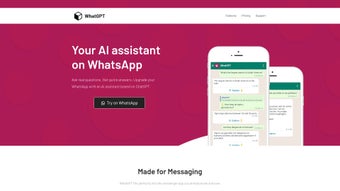

Download WhatGPT – Free AI Assistant for WhatsApp, Quick Replies, Real‑time Help
Overview – WhatGPT in a nutshell
WhatGPT is a free, AI‑driven assistant that lives inside your WhatsApp conversations. Built specifically for the fast‑paced world of instant messaging, it generates concise, context‑aware replies in real time, helping you keep chats flowing without the mental fatigue of typing long responses. The service works without any login, captcha, or intrusive permissions, so you can jump straight into conversation mode.
When you need more than a short answer, WhatGPT can also fetch relevant web links, turning a simple chat into a mini‑research session without leaving the app. While the core functionality is completely free, an optional Plus subscription unlocks a daily quota of 200 messages, early access to experimental features, and round‑the‑clock unlimited support. Whether you’re a busy professional handling client chats, a student coordinating group projects, or a social butterfly who loves staying connected, WhatGPT acts as a silent partner that drafts, refines, and enriches your messages on the fly.
Its lightweight design ensures that the tool never slows down your device, and because it runs in the cloud, updates and improvements are rolled out instantly, keeping you at the cutting edge of AI‑assisted messaging.
Core Features that power WhatsApp chats
- Real‑time reply generation – Instantly produce short, accurate responses tailored to the conversation context.
- One‑click web link suggestions – When a topic needs deeper insight, WhatGPT returns relevant URLs that can be shared directly in the chat.
- No registration or captcha – Start using the assistant immediately; privacy‑first design means no personal data is stored.
- Free tier with unlimited basic usage – Send as many quick replies as you need without hitting a paywall.
- Plus subscription – 200 daily messages, early feature rollout, and 24/7 unlimited support for power users.
- Cross‑platform accessibility – Works on Android, iOS, Windows, and macOS through the WhatsApp Web interface.
- Secure cloud processing – All AI computations happen on encrypted servers, ensuring your chats stay private.
- Continuous learning – The underlying model is regularly fine‑tuned to understand slang, emojis, and regional expressions.
How to install, set up, and use WhatGPT – step‑by‑step guide, compatibility, pros & cons
Installation & setup
- Open WhatsApp on your smartphone or launch WhatsApp Web on a desktop browser.
- Navigate to the official WhatGPT landing page (a simple HTTPS link provided by the developer).
- Click the “Add to WhatsApp” button; the service will request permission to read incoming messages for context (read‑only, no write access).
- Confirm the permission prompt; WhatGPT will appear as a chat‑bot contact in your list.
- Send the keyword
/startto the bot to activate the assistant. From this point, you can type/askfollowed by your query, and the AI will reply with a ready‑to‑send message.
Using the assistant in daily chats
- When a friend asks a question, simply type
/ask What’s the weather in Paris?and the bot returns a short answer you can forward. - For longer discussions, ask
/link Best vegan restaurants in Berlinand receive a curated list of URLs that you can paste directly. - Activate the Plus features by typing
/upgradeand following the secure checkout flow; your subscription is linked to your WhatsApp number.
Compatibility
- Android 5.0 and above (via WhatsApp mobile app)
- iOS 12 and above (via WhatsApp mobile app)
- Windows 10 or later (via WhatsApp Web in Chrome, Edge, or Firefox)
- macOS 10.13 or later (via WhatsApp Web)
Pros
- Zero‑friction start – no account creation needed.
- Lightning‑fast response generation keeps conversations fluid.
- Free tier is genuinely unlimited for short replies.
- Secure, cloud‑based processing respects privacy.
- Plus plan adds valuable daily quota and priority support.
Cons
- AI may occasionally misinterpret sarcasm or highly nuanced jokes.
- Daily message limit for Plus users could be restrictive for heavy power‑users.
- Relies on an internet connection; offline usage is not supported.
- Feature set is focused on text – no native image or voice generation.
Frequently Asked Questions and Final Verdict – Is WhatGPT right for you?
Do I need to install a separate app to use WhatGPT?
No. WhatGPT works directly through WhatsApp or WhatsApp Web. You only need to add the bot as a contact from the official website and grant read‑only permission.
Is my conversation data stored by WhatGPT?
All processing happens on encrypted servers and messages are not retained after the reply is generated. The service follows a strict privacy‑by‑design policy.
What’s the difference between the free and Plus plans?
The free version gives you unlimited short‑reply generation. The Plus subscription adds a daily quota of 200 AI‑generated messages, early access to beta features, and 24/7 unlimited support for a monthly fee.
Can I use WhatGPT on multiple devices simultaneously?
Yes. Because the bot is linked to your phone number, any device logged into the same WhatsApp account (mobile, tablet, or web) can access WhatGPT without additional setup.
What happens if I exceed the daily message limit on the Plus plan?
Once you reach 200 messages, the AI will pause until the next 24‑hour window. You can still use the free tier for short replies, but advanced features like link generation will be temporarily disabled.
Conclusion & Call to Action
WhatGPT fills a clear gap in the WhatsApp ecosystem by delivering an AI assistant that is both instantly accessible and privacy‑friendly. Its real‑time reply engine cuts down on typing fatigue, while the optional Plus plan provides a professional‑grade experience for heavy users. If you value quick, accurate messaging without the overhead of a separate app, WhatGPT is a strong candidate. Ready to supercharge your chats? Download WhatGPT now and start enjoying seamless AI‑powered conversations today.



.png)



